How to review a customer enquiry from your phone
Scan the reported issue, location, timing, access, unknowns, and next action without rereading a full call transcript.
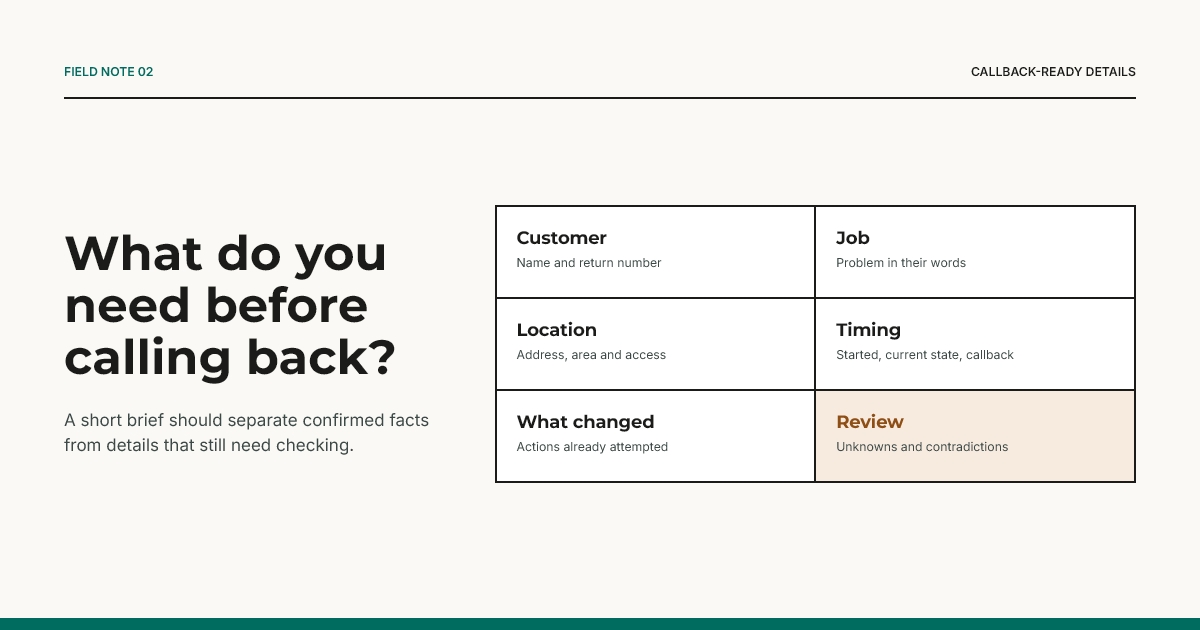
On a phone, a customer enquiry should answer six questions quickly: who called, what happened, where, when, what remains unknown, and what you need to do next.
Start with identity and callback
Put the customer's name and return number at the top. Keep the original call time visible. These details should not be buried below a transcript or activity feed.
Read the problem in their words
Use a short reported-issue summary, then preserve important uncertainty. “No heating since this morning” is useful. “Failed pump” is not, unless a qualified person confirmed it.
Check place, timing, and access together
An address without access details may not be enough. Timing also has two meanings: when the problem started and when the customer can speak or provide access. Keep requested timing separate from any appointment the owner later agrees.
Look for review reasons
Unknowns, contradictions, incomplete calls, unsupported requests, and safety concerns should be visible before the callback button. A partial card must not look complete because most fields contain text.
Decide the next action yourself
The card prepares a callback; it does not approve the job. The owner decides fit, priority, questions, price, and attendance. Max & Mia's MVP keeps quotes, payments, autonomous booking, diagnosis, and guarantees outside the call-handling flow.
The target Max & Mia outcome is at most one structured job card per call. That contract is designed for phone review, but it is not evidence of measured live performance.
Use the job-card builder on your phone and print or download the result. The job-card pack includes a review checklist.